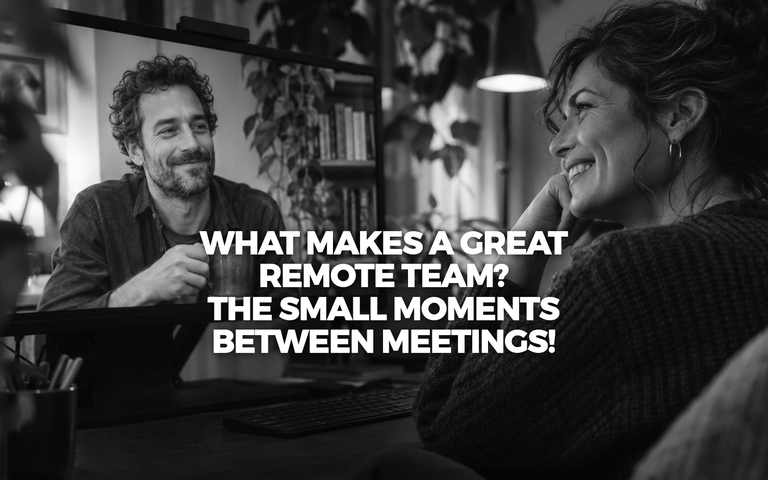
What Makes a Great Remote Team? The Small Moments Between Meetings!
How to Make Remote Team Collaboration Feel More Natural
It’s 10:17 on a Tuesday morning. Your team has just finished a project meeting.
The designer has an idea she didn’t want to interrupt with. The developer has spotted something in the prototype. Two colleagues realise they’re working on different versions of the same document.
In a physical office, they might stay behind for ten minutes, pull up the design and sort it out together.
In a remote team, someone usually says, “I’ll schedule another call.”
There are better ways to work.
Remote collaboration has given companies access to talent across countries and time zones. Employees can build careers without relocating, and teams can work together without spending half their lives travelling.
Now there’s an opportunity to make the experience itself better: easier conversations, more useful workshops and shared spaces where people can work through ideas together.
What makes remote team collaboration effective?
Effective remote team collaboration depends on how easily people can exchange information, make decisions and work together towards a shared goal.
A good setup makes it clear where work happens, who owns decisions and when people need to be together.
It also leaves room for spontaneous conversations.
That last part deserves more attention.
A quick exchange after a meeting can prevent a misunderstanding. A colleague who joins a brainstorming session halfway through might spot something everyone else has missed. A new employee can learn a surprising amount simply by spending time with experienced teammates.
These interactions are easy to overlook when designing remote workflows.
And they’re worth creating space for.
Give different kinds of work different spaces
Most remote teams already have enough communication tools.
There’s a messaging platform for quick questions, video conferencing for meetings, shared documents for writing and a project management system for tracking tasks.
Each serves a purpose.
The opportunity lies in making the transition between them more natural.
Consider a product team planning a new feature.
They need to review a prototype, discuss technical constraints, sketch alternatives and decide which approach to test.
A conventional video meeting can support all of this. But it often involves switching between shared screens, documents and separate whiteboards.
An interactive virtual workspace offers another format.
Team members can gather around a shared presentation, move to a whiteboard, add notes and split into smaller groups to explore different ideas.
The work becomes something everyone can participate in directly.
A virtual office can support more than meetings
A virtual office is a shared digital environment where remote employees can meet, collaborate and interact through avatars. Depending on the platform, it may include meeting rooms, presentation tools, whiteboards and spaces for informal interaction.
Some virtual offices are accessible through desktop computers. Others also support virtual reality headsets.
For distributed teams, these environments can provide a common place for activities that benefit from working together in real time.
A project workshop, for example, might involve a short presentation followed by small-group discussions. Participants can then return to the main room to compare ideas.
A training session could combine a demonstration with group exercises.
And a team gathering can include conversations that don’t need an agenda.
The format should fit the activity. A quick status update may still be easier in a message.
Turn brainstorming into something people actually do together
A good brainstorming session has a particular energy.
Someone writes an idea on the board. Another person adds a detail. A third connects two suggestions nobody had considered together.
The discussion changes direction, sometimes for the better.
Remote teams can create that experience deliberately.
Start with a clear question. Give participants a few minutes to develop ideas independently. Then bring everyone into a shared space where they can compare and build on those suggestions.
Digital whiteboards and sticky notes make it possible to see the discussion taking shape.
Breakout groups are useful when a larger team needs to explore several approaches without forcing everyone into one conversation.
For example, a marketing team preparing a product launch could divide into groups to develop different campaign concepts. Each group presents its proposal, and the team uses a shared board to decide which ideas deserve further work.
People leave with something tangible.
And because the discussion has happened around shared material, there’s less ambiguity about what was agreed.
Make room for the people who don’t usually speak first
Every team has different communication styles.
Some employees think aloud. Others prefer to consider an idea before contributing.
A well-designed remote workshop can accommodate both.
Instead of opening with a question and waiting for the most confident person to answer, give everyone a chance to add written ideas first.
Use smaller groups when the subject benefits from discussion.
Allow participants to contribute through notes, drawings or comments rather than requiring every thought to become a speech.
The goal is to hear from more people without making participation feel like a performance.
This matters particularly in international teams, where employees may be communicating in a second language or working across different professional cultures.
A shared visual workspace can give everyone another way to explain what they mean.
Remote onboarding can start with belonging
Think about the first week at a new job.
There’s a lot to learn: unfamiliar systems, new colleagues, internal terminology and a growing list of questions.
In an office, new employees often pick up useful context through informal interactions.
They hear how colleagues discuss projects. They discover who knows what. They gradually understand how the team works.
Remote onboarding can offer similar opportunities, even when people are thousands of kilometres apart.
Imagine welcoming a group of new employees from several countries into one shared virtual space.
They meet their colleagues, explore the team’s working environment and take part in activities together.
A trainer can introduce the company, divide participants into groups and bring everyone back for discussion.
New employees get opportunities to interact with people they might otherwise know only from an organisational chart.
For companies hiring internationally, this can make onboarding feel more personal while reducing the need to bring every new employee to one physical location.
The experience still depends on the people running it. A welcoming environment helps, but colleagues need to make time for meaningful interaction.
How Alterland Offices supports distributed teams
At Alterland, we’ve created virtual offices for teams that want more options for working together remotely.
Alterland Offices provides shared 3D workspaces that employees can access through desktop computers or supported VR headsets.
Teams can meet in virtual rooms, share presentations and videos, work with whiteboards and sticky notes, and use breakout rooms for smaller discussions.
A 3D marker allows participants to highlight elements within the environment, while shared spaces provide opportunities for informal interaction.
For a distributed product team, that might mean reviewing a presentation together before moving into a brainstorming session.
For a training company, it could mean delivering an interactive workshop to participants joining from several countries.
For a remote-first business, it might simply offer a place where colleagues can spend time together beyond scheduled video calls.
The offices are ready to use, so companies don’t need to design a virtual environment from scratch.
And because desktop access is available, teams can explore this style of collaboration without requiring every employee to own a VR headset.
The technology provides the space and the tools. The team decides how to use them.
How to introduce a virtual office without creating another obligation
The easiest way to discourage employees from using a new collaboration tool is to turn it into another mandatory meeting destination.
A more useful approach is to begin with an activity that would genuinely benefit from a shared environment.
Try a 45-minute project workshop.
Invite a small group with a clear objective. Prepare the materials in advance and give participants a few minutes to become familiar with the space.
Then run the workshop as you normally would, using the available tools where they help.
Afterwards, ask specific questions.
Was it easier to discuss the material? Did everyone have an opportunity to contribute? Were decisions clearer? Would participants choose this format for a similar activity?
Those answers are more valuable than asking whether the technology felt exciting.
If the session works, try another use case: onboarding, collaborative planning or a team gathering.
Over time, employees can develop their own habits around the space.
The best sign of adoption is when someone suggests using it because they know it will help with the work.
A remote team can have a shared place to work
One of the greatest advantages of remote work is the freedom it gives people.
A designer in Warsaw can work with a developer in Zurich and a project manager in Lisbon without anyone needing to relocate.
They can bring different perspectives to the same project, build relationships across borders and organise their work around what matters.
There’s plenty of room to make that experience even better.
More opportunities to collaborate visually. More ways for new colleagues to feel included. More chances to turn a quick conversation into a useful decision.
Sometimes the next improvement is surprisingly simple.
Give people a place where they can work on something together, and make it easy for them to use it.
Curious what your next remote workshop could look like? Explore Alterland Offices and discover how your team can collaborate in a shared virtual workspace.